Most businesses don’t have a data problem.
They have a “who do I ask?” problem.
The numbers already exist. They’re in the CRM, the ERP, the project tracker, someone’s inbox. But getting an answer still means an export, a spreadsheet, and a message to the one person who knows where to look.
There are two ways to fix it: a dashboard, or a connector. For years we reached for the dashboard first. Now we usually start with the connector. This post is about why, and when the dashboard is still the better call.
Last week a real estate developer cut a ten-module platform down to three things: their project trackers on screen, tasks they can assign, and their inbox scanned and tied to the right property.
The scope originally included an AI assistant built into the sidebar. It didn’t survive the call. The team already worked in Claude every day and already trusted it, so my co-founder Eduardo suggested we stop competing with it and plug into it instead.
So we cut the assistant and replaced it with a connector. The platform still shows the records. Claude becomes the way in.
That is now the first thing we put on the table.
Why We Stopped Building Our Own Assistant
We’ve built chat assistants into client software before. They worked. They also started going stale the week we shipped them.
Every month Anthropic, OpenAI and Microsoft ship something new: charts, file generation, memory, better reasoning, voice. Our assistant gets none of it unless we build it again. The client ends up with two AIs: a very good one they pay for, and a worse one that happens to know their data.
Think of it as hiring a second receptionist who is slower than the first, only because they’re the one holding the key to the filing room. Nobody would do that in an office. You’d give the key to the person you already trust.
As Eduardo put it: maintain our own assistant, and we spend the whole contract chasing features someone else already shipped.
A connector is the key. We build the part nobody else can build (safe access to your data and knowledge of your business), and every improvement to the assistant lands on your side for free.
What a Connector Actually Is
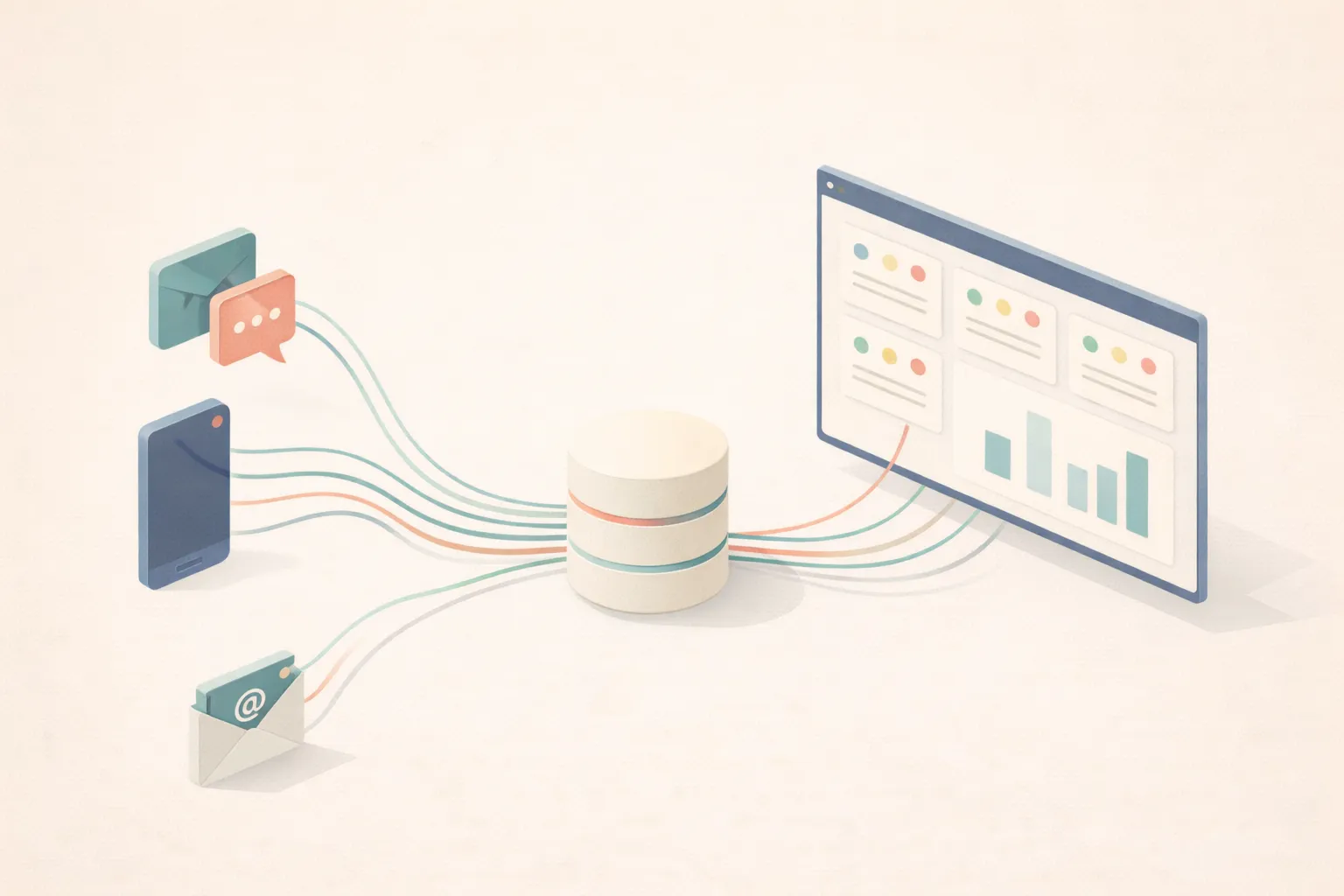
The technology is called MCP, the Model Context Protocol. It’s the same mechanism Claude uses to reach Gmail, Google Drive or GitHub. Your system simply becomes one more thing on that list.
A year ago MCP was an Anthropic experiment. Today it sits under the Linux Foundation, gets around 97 million SDK downloads a month, and is supported natively by Claude, ChatGPT and Microsoft Copilot. That last part matters more than it sounds.
The easiest way to picture it is a plug socket. Nobody rewires the house when they buy a new kettle. The kettle fits the socket. Claude, ChatGPT and Copilot are the appliances. Your connector is the socket, and it stays in the wall when you change appliances.
That’s why everything we build lives in the connector, not inside Claude. The permissions, the roles, the business rules, the audit log. If you switch assistants next year, you plug the new one into the same connector. You don’t rebuild.
You authorise it once with your work email, and from then on you can ask things like “What’s on this week for the Banyan Trace project?” or “Who still owes us the spend cut?” It answers from the live records and tells you which table it read.
What Changes for the Whole Business
A dashboard helps whoever opens it. A connector helps everyone who can type a question, which is everyone.
Here’s what that looks like day to day:
- Sales asks “which deals have gone quiet this month?” and gets an answer from the live CRM, not last Friday’s export.
- Operations asks “what are the roof bids waiting on?” and sees the tasks and emails behind it.
- Finance asks “which invoices are past 60 days?” without building a report first.
- Leadership asks for the board summary in one sentence, instead of chasing four people for it.
- New starters ask how things are done and get your definitions, not a guess. When we build a connector we write down what “sale” or “wholesale” means in your business, so the answers sound like someone who’s been there for years.
And the quiet win: the person who knew where everything was gets their afternoon back. Every business has one. They stop being the search engine.
Nobody learns a new tool, either. The interface is the one they already open every morning. That’s the difference between software people are told to use and software they actually use.
Everyone asks the same source of truth, in plain English. Sales and finance stop arguing about whose spreadsheet is right, because there’s only one.
Connector or Dashboard? Two Answers to the Same Problem
There are two honest ways to fix the “who do I ask?” problem. A dashboard puts the answers on a screen. A connector lets people ask for them. Neither is always right.
A dashboard is a map. A connector is asking a local for directions. The local gets you there faster when you know where you’re going, but can’t show you the shape of the whole city. The map shows you everything at once, but it can’t answer a question.
| Dashboard | Connector | |
|---|---|---|
| Best at | Seeing the whole picture at a glance: the pipeline, the trend, the red cell | Specific questions: “which deals went quiet?”, “what’s this bid waiting on?” |
| How people use it | Open it, scan it, click through | Ask in plain English, in the assistant they already use |
| Questions nobody planned for | No. Every chart is a question someone chose in advance | Yes, as long as the data exists |
| Who it serves | Whoever the screens were designed for | Anyone who can type a question, within their role |
| Changing it | A new chart or view is development work | A new question costs nothing. New data sources or writes are development |
| Extra running cost | None beyond hosting | One AI seat per person |
| Where it fails | People stop opening it | It can’t show you what you didn’t think to ask |
Choose a dashboard if your team isn’t using an AI assistant yet, you watch the same handful of numbers every day, or the answers need to be on a screen in a meeting or on a wall.
Choose a connector if the questions change week to week, different people need different slices of the same data, or your team already lives in Claude or ChatGPT.
Most of our clients end up with both, and the split we now propose looks like this:
- The platform is the record. Clean tables, clear screens, the source of truth.
- Claude is the door. Questions, summaries, the board-meeting brief, the quick “create a task for Jorge.”
Or as I put it on that call: your input is your normal Claude, the display is the platform.
What’s changed is the order. We used to scope the dashboard first and bolt the questions on later. Now we start with the connector and build only the screens people genuinely need to look at. Projects get smaller as a result. The developer above went from ten modules to three things plus a connector, and it’s a better project for it. Our best work has always started like that: something small that works, used for a couple of months, then extended because people ask for more.
The Three Rules That Make It Safe
The first question every owner asks is some version of: “What stops it deleting a deal?”
Good question. The answer can’t be “we told the AI to be careful.” Instructions to a model are suggestions.
A hotel doesn’t ask guests to promise they won’t open other people’s rooms. The key card simply doesn’t open them, however politely you ask the door. We build connectors the same way: every control lives in the server, where the model can’t talk its way around it.
Here’s the list we agreed with that developer:
| Action | Allowed? | Why |
|---|---|---|
| Read any property, task, date, cost line or email | Yes | Reading is the whole point, and it can’t break anything |
| Create a task with an owner and a due date | Yes | The first thing they asked for. A wrong task is one click to delete |
| Move a date | Yes, with a reason | Claude is asked for the reason just like the screen asks you, and the original baseline survives |
| Mark a task done, leave a note | Yes | Small, reversible, and logged |
| Delete anything | No | No way of phrasing a request should be able to remove a deal |
| Anything touching money | No | Refused, and the refusal is logged too |
Notice what’s missing: nothing is “the AI decides.” Every line is a decision the client made, in writing, before we wrote any code.
The Part Nobody Else Does: We Get Paid Against an Exam
An AI agent can look brilliant in a demo and still get your numbers wrong. Demos are exactly where you pick the questions that work.
You wouldn’t hand someone your car keys because they looked confident in the car park. You’d put them through a driving test, on roads you know, with an examiner in the passenger seat.
So we stopped asking clients to trust impressions. Before we build, we sit down together and choose 50 questions from your own business whose answers you already know. Last month’s margin by channel. Which invoices are overdue past 60 days. How many units left the main warehouse in August.
Then, on our read-only connector projects:
- Half the fee is paid at signing. The other half is paid only when the connector passes the exam twice in a row.
- We run it again every month. Think of it as the MOT: passing your test once doesn’t mean the car is still roadworthy three years later. Data changes, processes change, models change. The exam tells you whether it still answers right.
- We run it before you switch assistants. Thinking of moving from Claude to ChatGPT? We run the same 50 on both and you compare with data, not marketing.
The 50 aren’t a limit on what you can ask. They’re the ruler we measure against.
And because a connector only proves itself in daily use, the monthly licence doesn’t start straight away. The first months are free, so you decide whether to keep paying based on how much your team actually used it.
When a Connector Is the Wrong Answer
It’s not for everyone. Skip it if:
- Your team doesn’t use an AI assistant yet. A connector amplifies a habit. It doesn’t create one. A faster lift does nothing for a team that takes the stairs. Build them a good dashboard instead.
- The job should run the same way every time. Sending invoice reminders every night or syncing orders to accounting doesn’t need a conversation. That’s an automation, and it’s cheaper and more reliable. (We compared the tools for that here.)
- You haven’t budgeted for seats. Each person needs their own paid Claude account (we recommend a Team plan, paid directly to Anthropic). It’s the prerequisite nobody thinks to ask about, so we now put it in the onboarding checklist from day one.
- Your data is a mess. A connector reads whatever is there. The best translator in the world can’t fix a letter that contradicts itself. If “sale” means three different things across your spreadsheets, fix that first. (Everything we said about giving AI context applies double here.)
The Short Version
Your team already uses an AI assistant every day. It just can’t see your business.
Don’t build a second one. Give the key to the one you already trust instead: read-only first, permissioned per person, portable across assistants, and tested against questions you already know the answers to.
One source of truth, asked in plain English, by everyone.
Want to know which of your systems your team could be asking questions of? Book a call and bring the three questions you’d ask first.
 Iago Jochamowitz-EndersbyCo-founder, Costanera